
Video generation and asynchronous tasks
Configure prompts, frames, references, duration and audio; track asynchronous tasks without accidental duplicate charges.
Updated
Before you start
- Sign in to your own LINK42 account. The console uses a login session; programmatic calls use a LINK42 API key.
- Generation is billable. Check balance, model availability and the estimate first. Screenshots only illustrate the steps; they do not show that a model is enabled or what it will generate.
Prepare a video
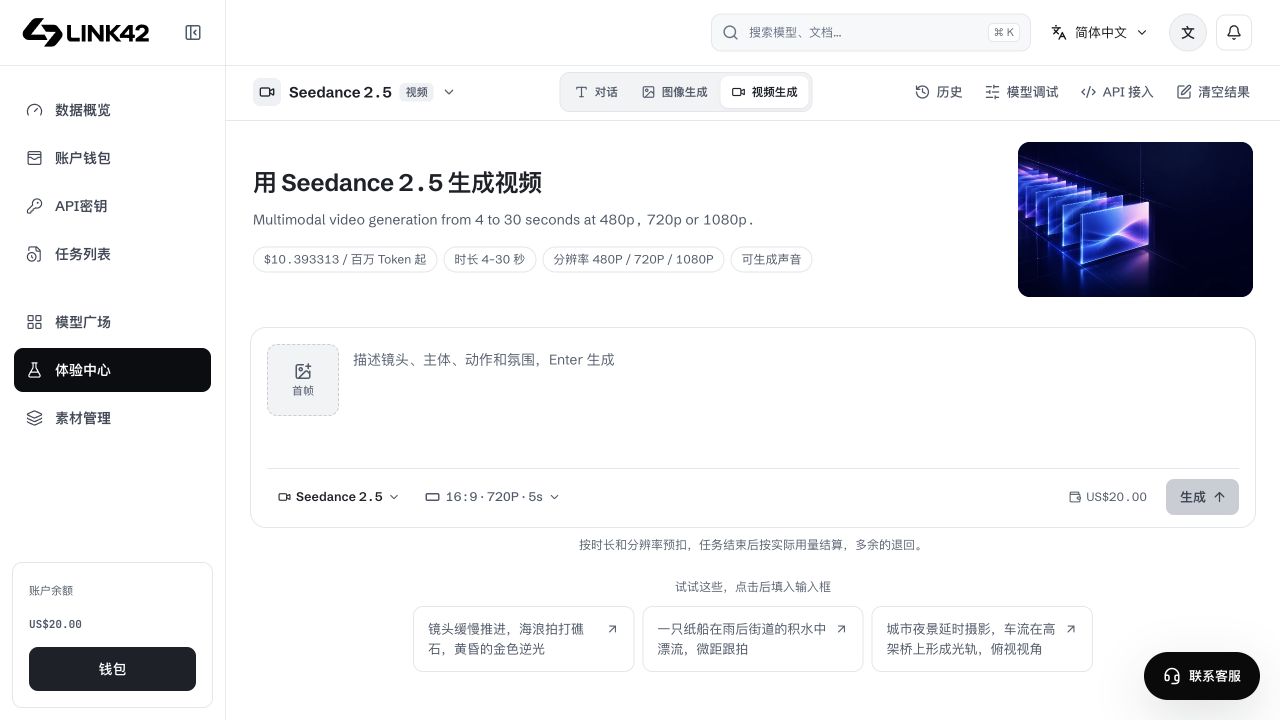
Choose model and mode
Select a supported text-to-video, first/last frame, reference, edit or extension mode. Upload success does not enable an unsupported mode.
Organize prompt and references
Describe camera, subject, action and atmosphere. Assign first/last/reference roles correctly; an image is not a video reference.
Review parameters and estimate
Check ratio, resolution, fixed/automatic duration, audio and count. Supported combinations vary; actual usage determines the final charge.
Submit and keep the task ID
Save the returned id and poll or watch Tasks. Do not repeat the create POST while waiting.
 View full-resolution image
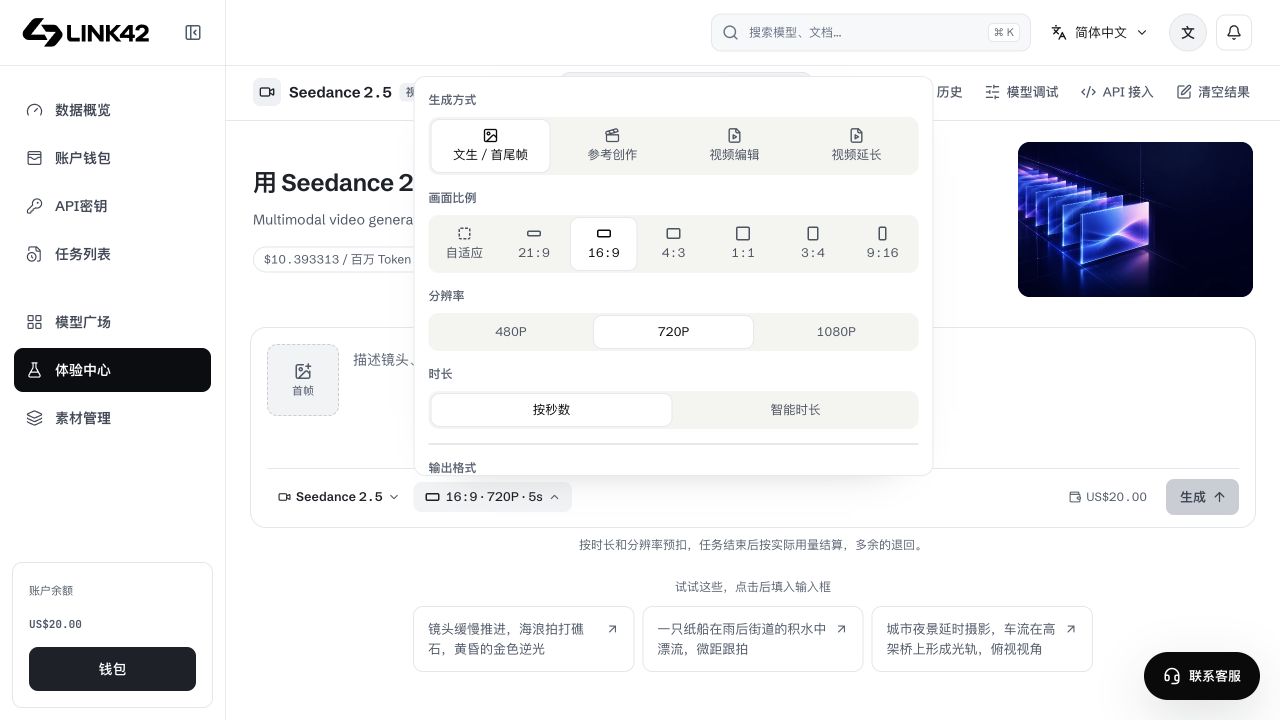
Video settings and input limits
Ratio, 480P/720P/1080P, MP4/MOV, automatic duration, audio and output count are capability-driven, not universal. Do not copy another model's MOV or automatic-duration settings into an unsupported request. Frames and video/audio references also have model-specific count, format, duration and request limits.
 View full-resolution image
Wait, cancel and recover
| State | Meaning | Correct action |
|---|---|---|
| local_queued / queued | Local or upstream queue | Keep querying the same task ID; do not recreate. |
| unknown | Provider submission under review; hold retained | Keep the original task ID and check later; do not recreate or cancel. |
| running | Upstream processing | Elapsed time alone is not failure or a completion percentage. |
| succeeded | Model completed | Also verify the result URL/storage status, download and reconcile the charge. |
| failed / cancelled / timeout | Terminal state or timeout | Inspect errors and billing; a local polling timeout is not upstream cancellation. |
Avoid duplicate billing
SDK video creation attaches an idempotency key; applications can use a stable business key. Preserve the key/task ID after unknown network outcomes and recover with the same content, not a new key. Stopping local waiting is not cancellation; explicitly request cancellation and trust server state and settled charges.