Image generation and reference edits
Configure ratio, resolution, pixels and count, upload references, and generate/edit with the selected model's capabilities.
Updated
Before you start
- Sign in to your own LINK42 account. The console uses a login session; programmatic calls use a LINK42 API key.
- Generation is billable. Check balance, model availability and the estimate first. Screenshots only illustrate the steps; they do not show that a model is enabled or what it will generate.
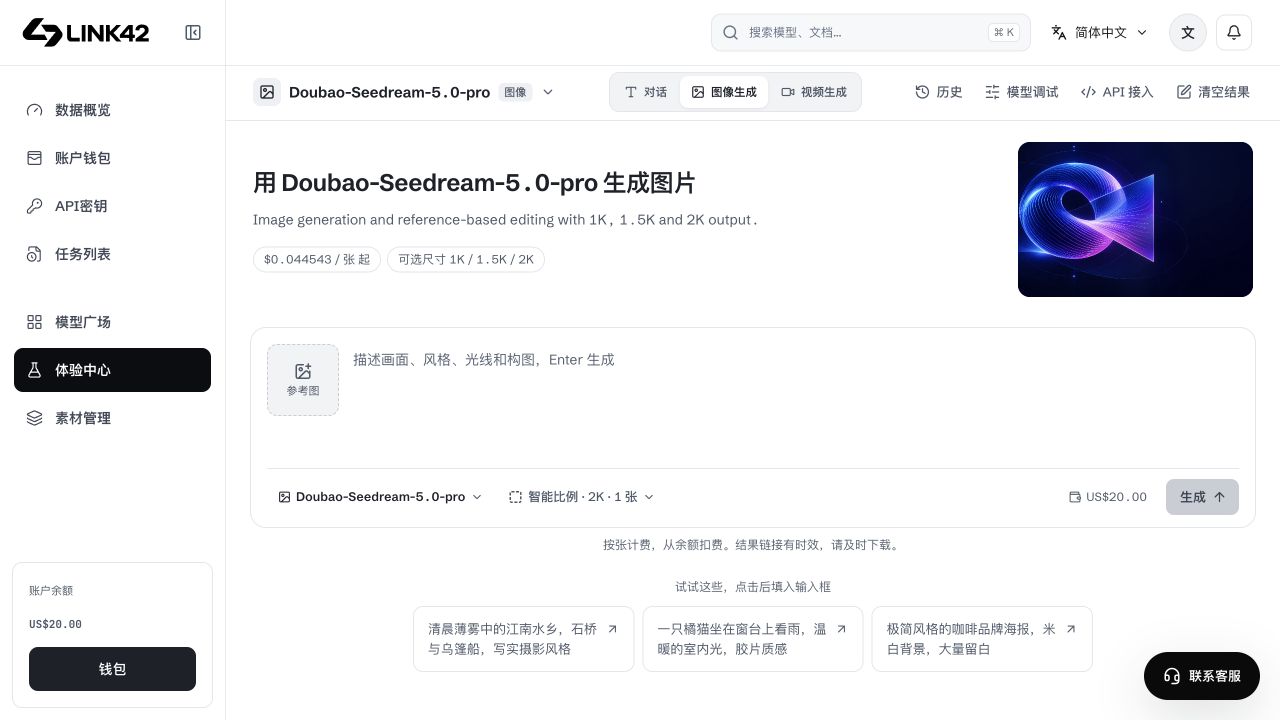
Generate an image
Select an image model
Choose Image mode and inspect resolutions, references and editing capabilities. Versions do not share identical settings.
Describe the scene
Specify subject, setting, composition, style and exclusions. State required text explicitly instead of vague requests to improve it.
Set output options
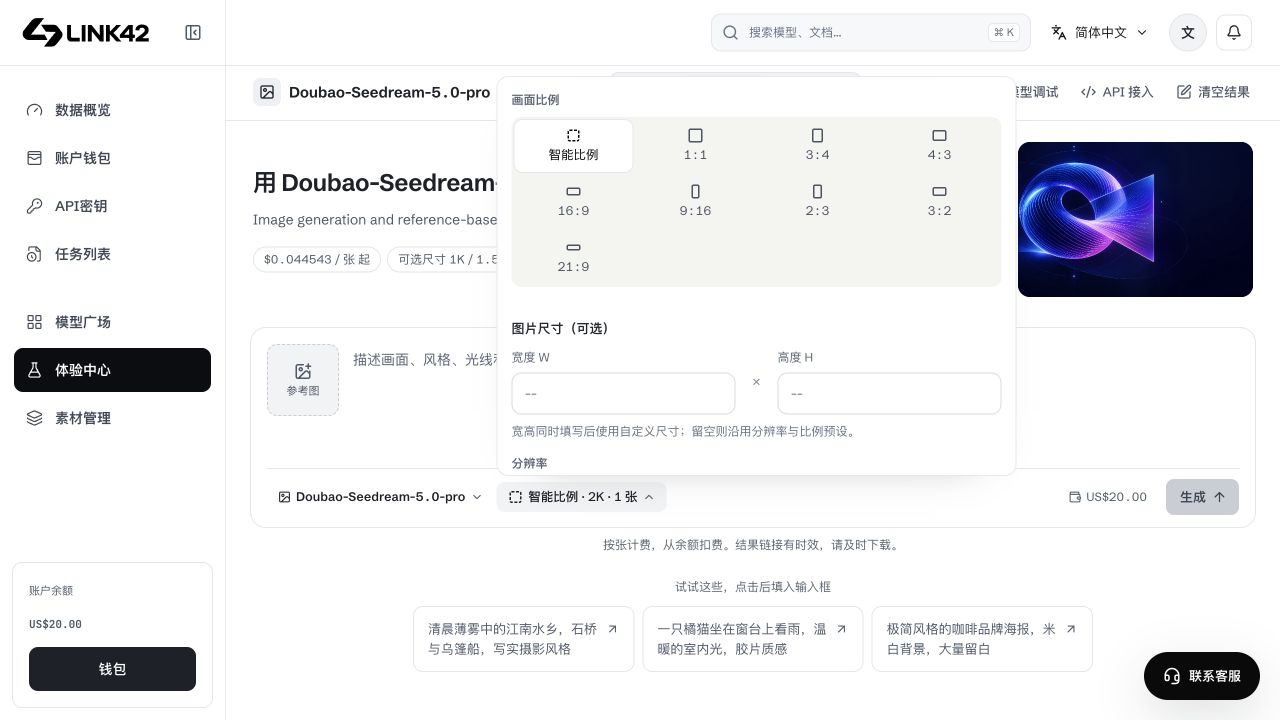
Open sizing to choose ratio, resolution, supported custom W/H and output count. Recheck after model/mode switches.
Review cost and generate
Check estimate and balance, submit, retain the image-task ID and download completed outputs.
 View full-resolution image
Ratio, resolution and pixel size
 View full-resolution image
| Setting | Usage | Limit |
|---|---|---|
| Aspect ratio | Auto lets the model decide; fixed ratios suit posters and horizontal/vertical images. | Only the current model's supported ratios apply. |
| Resolution | 1K, 1.5K, 2K, 3K and 4K are tiers that vary by model. | Do not send every illustrated tier to every model. |
| W × H | Specify precise pixels where supported. | Pixel count, dimensions and aspect ratio must all be valid. |
| Output count | Choose within single-image or image-set support. | Reference/output counts may share a limit; the requested maximum is not guaranteed. |
References and safe limits
Upload JPG/PNG/WebP or choose your own asset. Original uploads default to 100 MiB, subject to lower administrator limits. Browser optimization or server preparation of owned asset:// references yields at most 10 MiB each/20 MiB total for direct image/video calls; unsafe decoding or over 40 million pixels is rejected without changing the original. Provider-library imports, external URLs and inline data follow their own limits.
Reference editing needs a supporting model. Layer separation requires actual platform/model support; absence is not an upload failure and must not be bypassed with unsupported fields.
Troubleshooting
| Symptom | What to check | Next action |
|---|---|---|
| Invalid parameters | Size, ratio, count and version | Use a supported combination, not arbitrary size strings. |
| Invalid reference | Completion, owner, format and pixels | Use active owned assets; 100MB is not a decoding guarantee. |
| Failed generation | Task error and balance | Check the task and released charge; retry creates new generation. |
| Expired link | Task result and storage state | Query the same task for a current result link; do not regenerate merely to download. |