Console walkthrough
Learn how overview, models, generation, tasks, assets and billing fit together before your first traceable request.
Updated
Before you start
- Sign in to your own LINK42 account. The console uses a login session; programmatic calls use a LINK42 API key.
- Generation is billable. Check balance, model availability and the estimate first. Screenshots only illustrate the steps; they do not show that a model is enabled or what it will generate.
Know your workspace
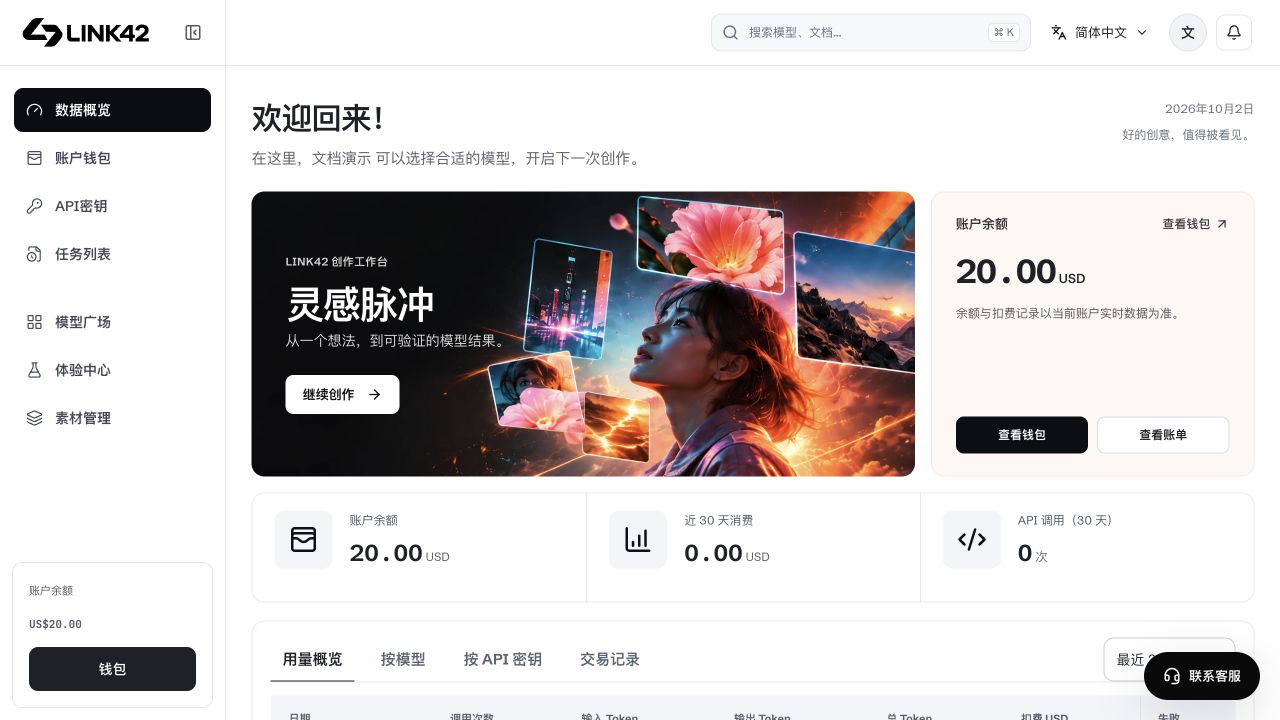
The fixed left navigation can collapse. Overview shows balances and usage; API keys serve application access; Experience Center runs browser tests; assets store your own files; tasks track generation; transactions reconcile charges. Additional entries appear under More according to your account permissions.
 View full-resolution image
From selection to result
Inspect a model
Open the model directory and View model. Check the API model ID, input/output types, price and parameters. A display name is not the API model value.
Choose an access method
Browser generation uses your own balance without an upstream key. Applications use a LINK42 key and the gateway origin.
Review settings and cost
After switching models, check ratio, resolution, duration, audio and references again. Controls follow model capabilities. An estimate is not the final charge.
Save and reconcile
Check image/video status in Tasks, verify the result is accessible, then inspect the request ID and actual charge in Transactions. Download temporary results promptly.
Visibility is not a call guarantee
Catalogue visibility, browser access and API key scope are separate checks. A valid key can still be limited by model scope, IP rules, budgets, balance, upstream authorization or capacity. Do not substitute a numeric website ID or another platform's credential for the API model/key.