Upload and manage private assets
Complete upload confirmation, select references, distinguish private IDs from temporary links and resolve size/ownership/format errors.
Updated
Before you start
- Sign in to your own LINK42 account. The console uses a login session; programmatic calls use a LINK42 API key.
- Generation is billable. Check balance, model availability and the estimate first. Screenshots only illustrate the steps; they do not show that a model is enabled or what it will generate.
Open asset management
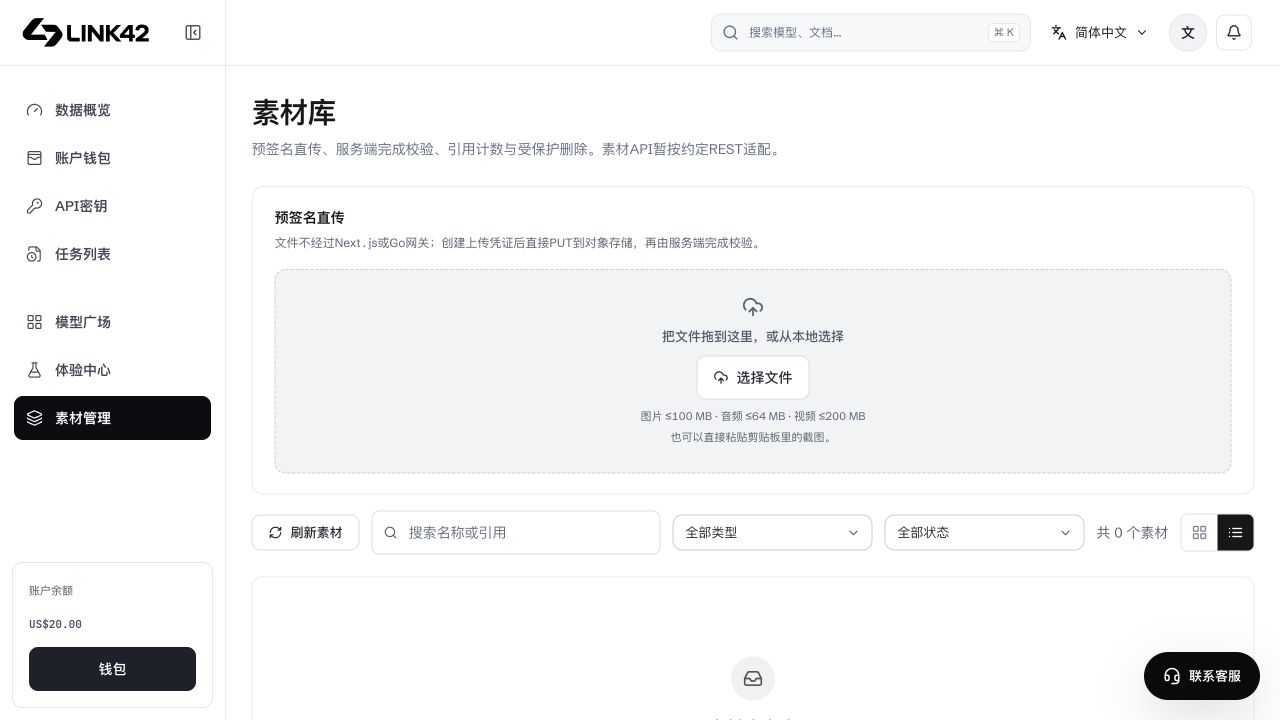
Asset management lists your own files with type/status/name filters. Preview URLs are for display; tasks should use returned reference identifiers. Other users' IDs, preview URLs and provider IDs are not interchangeable with your asset:// reference.
 View full-resolution image
From upload to a usable reference
Choose a file or existing asset
Upload locally or choose your own library asset. Its type must match the selected model.
Wait for upload and confirmation
Upload progress completion is not active status. SDK begin/PUT/complete stages must all succeed; recover a failed confirmation with its upload_id.
Use the returned reference
Submit the returned asset:// reference to image/video APIs. The LINK42 key is not sent to object storage; the server checks ownership before reading.
Check dependencies before deletion
Deletion can affect references. Ensure tasks no longer need the file. Deleting an asset does not erase charges or cancel generation.
Original and model-input limits differ
JPG/PNG/WebP originals default to 100 MiB, possibly lower under administrator/group policy. Prepared references retain 10 MiB each/20 MiB total and safe pixel limits. Video/audio use their own rules; consult model details and asset validation.
Troubleshooting
| Symptom | What to check | Next action |
|---|---|---|
| Uploaded but unselectable | Complete/active status and supported type | Finish confirmation and refresh the list. |
| Confirmation network failure | Valid upload_id | Resume complete instead of uploading blindly. |
| 404 missing asset | Owner and reference | Check the account/reference; numeric IDs are not cross-user sharing. |
| Quota exceeded | Account/group quota | Remove unused assets or contact the operator; extensions do not bypass limits. |