
Create and manage API keys
Create, save once, scope models, allow IPs, set spending/rate limits and revoke keys with least privilege.
Updated
Before you start
- Sign in to your own LINK42 account. The console uses a login session; programmatic calls use a LINK42 API key.
- Generation is billable. Check balance, model availability and the estimate first. Screenshots only illustrate the steps; they do not show that a model is enabled or what it will generate.
Create and save securely
Open API keys
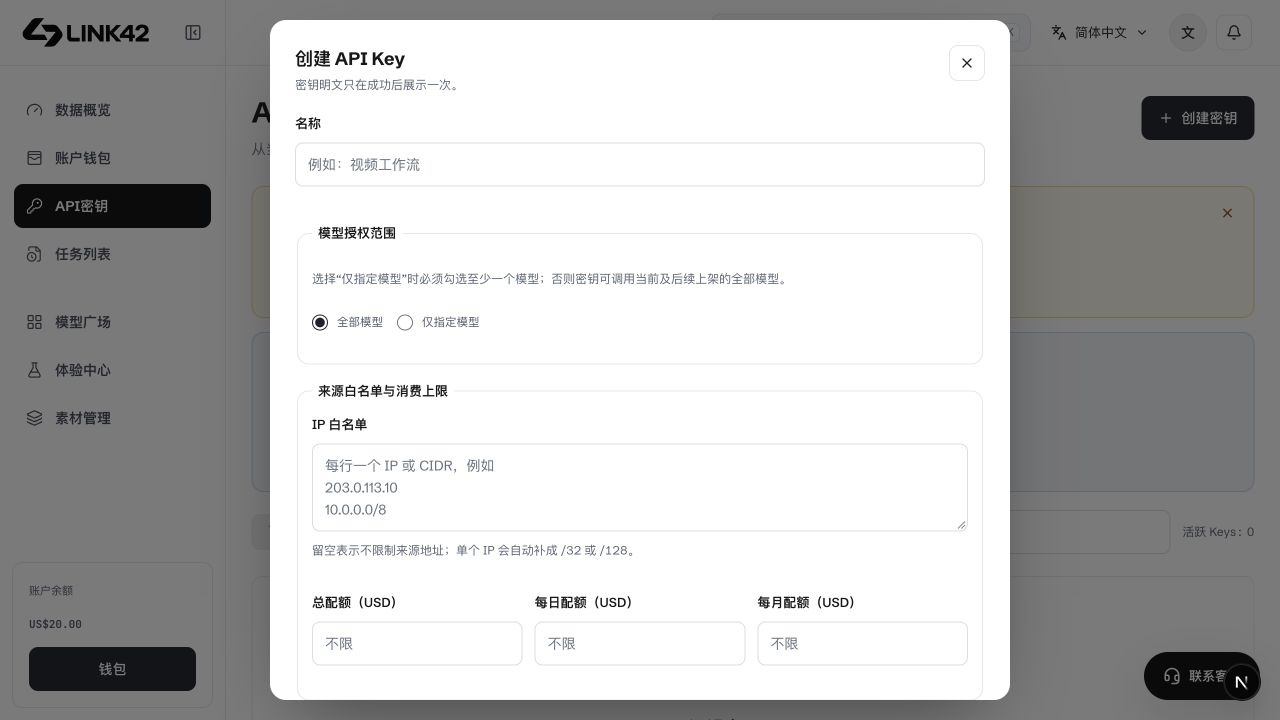
Open API keys in the personal console and select Create key. This creates a LINK42 key; it does not import another provider's key.
Name and constrain it
Name the project/environment, such as backend-test. Configure scope, allowlists, budgets and expiry. Separate test and production keys.
Save the one-time secret
The complete value appears once after creation. Store it in server-side environment or a secret manager, never screenshots, Git, frontend code or chat. It cannot be revealed again after closing.
Verify a minimal call
Use the key with GET https://www.link42.ai/v1/models, select an authorized model id, then make a minimal request. Listing models does not generate content.
 View full-resolution image
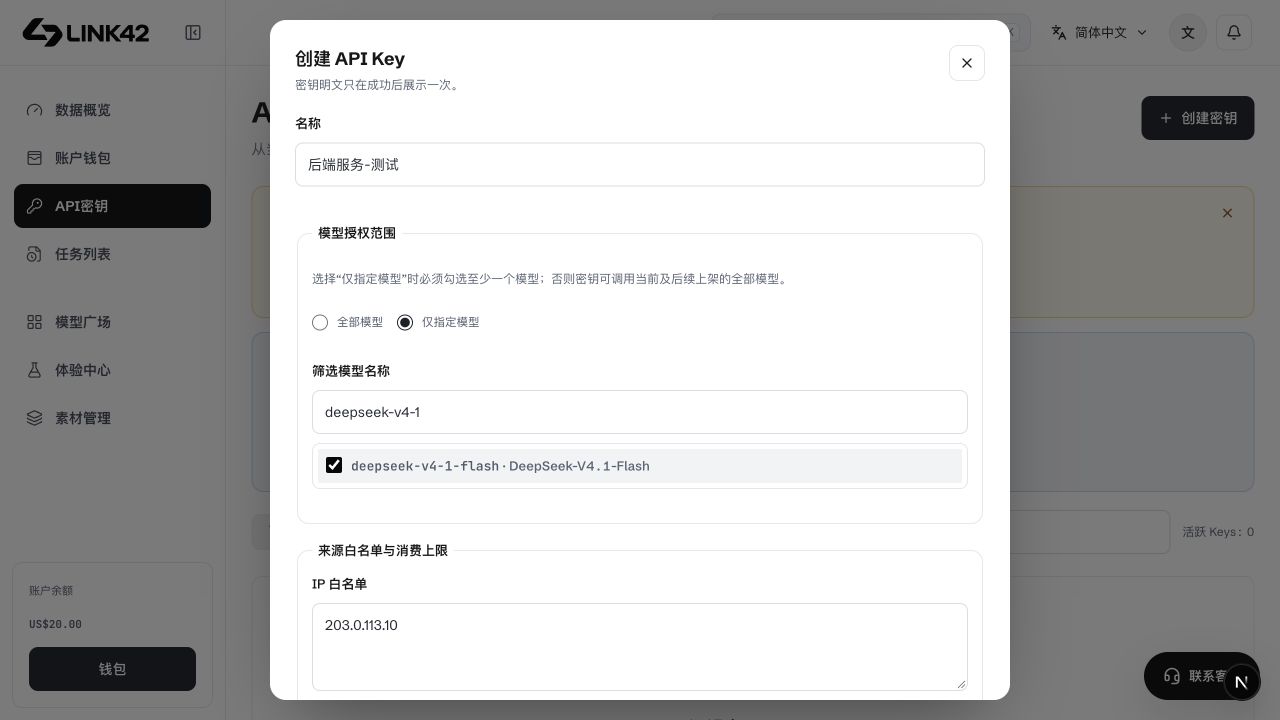
Model scope and IP allowlist
 View full-resolution image
| Setting | Purpose | Recommendation |
|---|---|---|
| allowed_models | Specific model allowlist | Select only the application's required models; discovery and calls both check scope. |
| allowed_model_groups | Model access-group scope | Apply the saved model/access-group scope; organization policies can further restrict members. |
| IP/CIDR | Restrict source IPs | Use the server's public egress IP or CIDR, not its private address. Check proxy egress. |
Budgets, rate and expiry
Total, daily and monthly budgets constrain this key's spending. Follow the form's handling of blank and zero values; zero does not universally mean unlimited. RPM, TPM and concurrency limit requests, tokens and simultaneous calls. Budgets are not top-ups and do not change prices or discounts.
Edit, disable and respond to exposure
Disable an exposed key
Disable/revoke promptly and inspect recent usage and charges. Removing it from your own source does not stop other callers.
Create and migrate a replacement
Use minimum required scope, update server configuration, verify access, then revoke the old key. Never send either secret to support.
Troubleshooting
| Symptom | What to check | Next action |
|---|---|---|
| 401 | Complete, active, non-revoked key | Check the auth header; a browser session is not an API key. |
| 403 / ip_not_allowed | Current public egress IP | Check server/proxy egress against the allowlist. |
| model_not_allowed | Key and organization scope | Use the exact model id and legitimate permissions. |
| 429 / budget limit | Rate, concurrency or budget | Inspect error code and Retry-After; review limits or wait. |